
Playing video games with a controller is one of the most popular ways to enjoy interactive entertainment. Controllers make gaming comfortable, responsive, and easy to understand, whether someone is playing on a console, computer, smartphone, or another compatible device. They allow players to control characters, explore virtual environments, complete challenges, and interact with other players.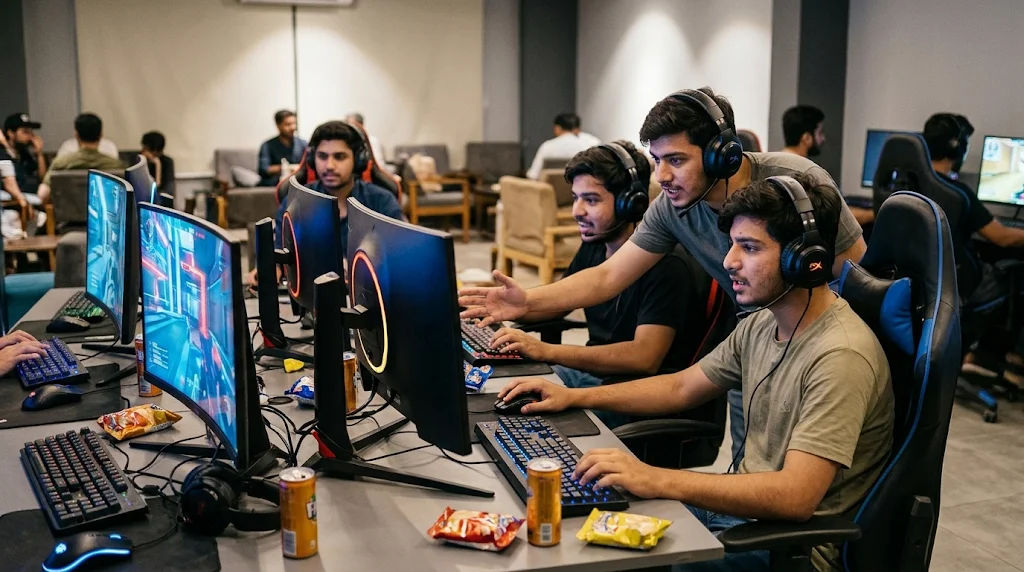
Modern gaming technology has made controllers more advanced than ever. Wireless connections, vibration feedback, motion sensors, and customizable buttons have improved the overall experience. These features help players enjoy different types of online games while maintaining better control over their movements and actions.
Understanding how controller-based gaming works can help beginners choose suitable equipment, connect their devices correctly, and improve their gaming experience. From button inputs to wireless communication, several technologies work together to make every gaming action possible.
This comprehensive guide explains how online gaming with a controller works, what happens when players press buttons, how controllers communicate with gaming devices, and which features make the experience enjoyable.
Controller-Based Gaming
Controller-based gaming involves using a physical input device to interact with a video game. Instead of relying entirely on a keyboard, mouse, or touchscreen, players use buttons, triggers, thumbsticks, and directional controls.
A controller translates physical movements into digital commands. For example, pushing the left thumbstick forward might make a character walk ahead, while pressing a button could make the character jump.
The gaming device receives these commands and processes them through the game software. The result appears on the screen almost immediately.
Controllers are particularly useful for games that require movement, timing, coordination, and quick reactions.
What Is a Gaming Controller?
A gaming controller is a handheld electronic device designed to communicate with a gaming system. It usually includes several input components that perform different functions.
Common controller components include:
-
Directional pad: Helps players move through menus or control characters.
-
Thumbsticks: Provide directional movement and camera control.
-
Action buttons: Perform actions such as jumping, selecting, or interacting.
-
Triggers: Commonly control acceleration, braking, or other gradual actions.
-
Shoulder buttons: Provide additional commands during gameplay.
-
Home button: Opens system menus or returns players to the main interface.
Different controllers have different designs, but their main purpose remains the same: translating player actions into commands that the game understands.
Why Do Players Prefer Controllers?
Many players prefer controllers because they offer a comfortable way to interact with games.
Their compact design allows users to hold them naturally without requiring a large desk or gaming surface. Players can also sit comfortably while controlling characters and exploring virtual environments.
Controllers are especially popular for racing, sports, platform, fighting, and adventure games.
However, preferences depend on the game. Some competitive games may offer more precise aiming with a mouse, while others feel more natural with a controller.
How Does a Controller Communicate with a Gaming Device?
A controller must communicate with a gaming device before it can control gameplay. This connection allows the device to receive button presses, thumbstick movements, and other commands.
There are two main connection methods: wired and wireless.
Wired Controller Connections
Wired controllers connect directly to a OPEN88 device through a cable. USB is one of the most common connection types.
When someone presses a button, the controller sends an electrical signal through the cable. The gaming device receives the information and interprets the command.
OPEN88 controllers offer several advantages:
-
Reliable physical connections.
-
No wireless pairing requirements.
-
No separate controller battery requirements for many models.
-
Consistent communication.
-
Easy setup with compatible devices.
One disadvantage is that cables can restrict movement. However, many players appreciate the straightforward setup and dependable connection.
Wireless Controller Connections
Wireless controllers communicate with gaming devices without requiring a physical cable.
Bluetooth is a common wireless technology used by modern controllers. Some gaming systems also use dedicated wireless communication methods.
Before playing, users generally need to pair the controller with their device. Pairing establishes a connection so the two devices can exchange information.
Wireless controllers provide greater freedom of movement and reduce cable clutter.
However, their performance can depend on battery condition, connection quality, distance, and wireless interference.
How Button Presses Become Actions in a Game
One of the most interesting parts of controller-based gaming is how a simple physical movement becomes an action on the screen.
This process involves several stages, including input detection, communication, software processing, and visual output.
Step 1: The Player Presses a Button
The process begins when a player presses a controller button or moves a thumbstick.
Inside the controller, electronic components detect the physical input.
For example, pressing a jump button creates an input signal that identifies which button was activated.
Step 2: The Controller Sends the Input
The controller transfers the detected input to the connected gaming device.
For wired controllers, the information travels through the cable. Wireless controllers transmit it through their supported communication technology.
The device receives the input as digital information.
Step 3: The Game Processes the Command
The game software checks the received input and determines what action should happen.
For example, if the player presses a button assigned to jumping, the game checks whether the character can perform that action.
The game then updates its internal information, including the character's position, movement, or current activity.
Step 4: The Screen Displays the Result
After processing the command, the game updates the graphics displayed on the screen.
The character may jump, move, turn, or perform another action.
This process happens repeatedly during gameplay, creating an interactive experience.
How controller input works
Player presses a button
Physical input is detected.
Controller sends a signal
Input travels through a cable or wireless connection.
Game processes the command
Software determines the appropriate action.
Action appears on screen
The game displays the updated result.
How Online Gaming Works with a Controller
Playing online introduces another important technology: network communication.
When players participate in multiplayer games, their devices exchange information with remote game servers or other players' systems.
The controller still performs its normal function, but the game must also communicate with the internet.
Connecting to an Online Game
Players generally need a compatible device, an internet connection, a supported controller, and access to the game.
After launching a multiplayer title, the software connects to the relevant online service.
Depending on the game, players may enter matchmaking, join a private session, or connect with friends.
The controller provides the commands needed to navigate menus and participate in gameplay.
How Controller Inputs Reach Other Players
When a player performs an action, the gaming device processes the controller input and sends relevant gameplay information through the internet.
The game server receives information from connected participants and helps maintain the shared game environment.
For example, in a multiplayer racing game, the system must keep track of vehicle positions, movements, and race progress.
Other players receive updated information so everyone can see a reasonably consistent version of the competition.
The exact networking system depends on the game's design.
Understanding Latency
Latency refers to the time required for information to travel between devices or servers.
In multiplayer gaming, higher latency can make actions appear delayed.
For example, a player might press a button, but the resulting action may appear later than expected because of network conditions.
Latency is influenced by several factors:
-
Internet connection quality.
-
Distance from the game server.
-
Network congestion.
-
Wireless interference.
-
Server performance.
-
Device processing speed.
A stable internet connection can help create a smoother experience.
Different Types of Controllers Used for Gaming
Gaming controllers come in different designs. Each type provides features suitable for particular devices and gaming styles.
Traditional console controllers usually include two thumbsticks, action buttons, triggers, and a directional pad.
They are designed for comfortable handheld use and support many gaming genres.
Modern versions may include vibration feedback, wireless connectivity, motion sensors, and rechargeable batteries.
PC Gaming Controllers
Computers support various controller types, including USB and Bluetooth models.
Many PC games automatically recognize popular controllers. Others require users to configure their controls through game settings or compatible software.
Some players use controllers for platform games, racing simulations, sports titles, and action adventures.
Mobile Gaming Controllers
Mobile gaming controllers are designed for smartphones and tablets.
Some models connect through Bluetooth, while others physically attach to a phone or use a supported USB connection.
They can provide physical buttons and thumbsticks for compatible mobile titles.
However, not every mobile game supports external controllers, so checking compatibility before purchasing is important.
Adaptive Controllers
Adaptive controllers are designed to make gaming more accessible to people with different physical abilities.
They may support external switches, alternative input devices, customizable layouts, and other accessibility features.
These options allow players to create control arrangements that better suit their individual requirements.
Understanding Controller Features and Their Functions
Modern controllers include several technologies that improve comfort, accuracy, and interaction.
Analog Thumbsticks
Thumbsticks are small directional controls that detect both movement and the degree of movement.
Unlike basic buttons, analog sticks can register different levels of pressure or position.
For example, slightly pushing a thumbstick might produce slow character movement, while pushing it further may produce faster movement.
The sensitivity can often be adjusted through game settings.
Vibration Feedback
Vibration feedback allows controllers to produce physical sensations during gameplay.
For example, a racing game might use vibration to communicate changes in road conditions.
An adventure game might use it to provide feedback during certain interactions.
The feature adds another layer of interaction beyond visual and audio effects.
Motion Sensors
Some controllers contain motion sensors that detect changes in orientation or movement.
Games that support these sensors can use controller movement as an additional input method.
For example, moving a compatible controller may influence the direction of an object in a supported game.
Customizable Buttons
Certain controllers allow users to change button assignments.
This means players can select different controls based on personal comfort or game requirements.
Customizable layouts can make complicated controls easier to understand.
How to Set Up a Controller for Online Gaming
Setting up a controller is usually straightforward, but the exact process depends on the gaming device.
Check Device Compatibility
Before connecting a controller, confirm that it supports the intended platform.
A controller designed for one console may not work with another without additional support.
For computers and smartphones, check operating system compatibility and the game's controller support.
Connect the Controller
For wired controllers, connect the USB cable to a compatible port.
For wireless models, activate pairing mode and select the controller through the device's Bluetooth or accessory settings.
Some systems may require additional confirmation before completing the connection.
Configure the Controls
Once connected, open the game settings and review the controller configuration.
Check the movement, camera, action, and menu controls.
Some games provide preset layouts, while others allow players to customize individual buttons.
Test the Connection
Before entering a competitive multiplayer session, test the controller in a practice area or single-player mode.
Check whether the buttons respond correctly and whether the thumbsticks move smoothly.
Also confirm that the battery is sufficiently charged if the controller operates wirelessly.
How Controllers Improve Different Gaming Genres
Controllers are useful across many gaming categories because their physical controls support different types of interaction.
Racing Games
Racing games often benefit from analog triggers and thumbsticks.
Triggers can control acceleration and braking, while thumbsticks help steer vehicles.
The gradual input available through analog controls can provide more flexibility than simple on-and-off buttons.
Sports Games
Sports games use controllers for passing, shooting, movement, and defensive actions.
Players can combine different buttons to perform more complicated actions.
The familiar layout also makes it easier to learn many sports titles.
Adventure and Platform Games
Adventure games often involve exploration, jumping, interacting with objects, and navigating environments.
Controllers provide convenient access to these functions.
Thumbsticks support movement, while action buttons perform specific activities.
Fighting Games
Fighting games use combinations of directional inputs and action buttons.
Some controllers also support specialized layouts designed for fighting games.
Practice and familiarity with the control arrangement can help players develop better timing and coordination.
Multiplayer Games
Controllers are also widely used in multiplayer experiences.
Players can use them to navigate menus, communicate through supported controls, and perform actions during online matches.
The most suitable input device depends on the specific game and its control system.
Common Controller Problems and Their Solutions
Even reliable controllers can sometimes experience connection or performance issues.
Understanding common problems can help users identify simple solutions.
Controller Is Not Connecting
A controller may fail to connect because of pairing problems, low battery power, incompatible hardware, or outdated software.
Check the connection settings, recharge the device, and follow the manufacturer's pairing instructions.
For wired controllers, inspect the cable and USB port.
Buttons Are Not Responding
Unresponsive buttons may result from physical wear, dirt, software problems, or incorrect control settings.
Review the game's configuration and check whether the issue appears in other applications.
If the problem continues, consult the manufacturer's troubleshooting guidance.
Thumbstick Drift
Thumbstick drift occurs when a character or camera moves without the player intentionally moving the stick.
It can result from sensor wear, contamination, or calibration problems.
Some games and devices provide calibration or dead-zone settings that may help address minor issues.
Persistent problems may require professional servicing or controller replacement.
Delayed Controller Response
Delayed responses can have several causes.
These include wireless interference, low battery power, device performance limitations, and network latency.
It is important to distinguish between local input delay and online network delay because they are different problems.
Testing the controller in an offline game can help identify whether the issue is related to the internet connection.
Tips for a Better Controller Gaming Experience
A comfortable and reliable setup can make gaming more enjoyable.
Consider these practical suggestions:
-
Choose a compatible controller: Check platform and game support before buying equipment.
-
Maintain a comfortable position: Hold the controller naturally and avoid unnecessary strain.
-
Keep software updated: Install supported firmware and system updates when available.
-
Adjust sensitivity: Experiment with thumbstick and trigger settings to find comfortable controls.
-
Maintain battery health: Recharge wireless controllers when needed.
-
Keep equipment clean: Follow manufacturer instructions for safe cleaning.
-
Use a stable internet connection: A reliable connection can reduce online interruptions.
-
Take regular breaks: Short breaks help maintain comfort during longer gaming sessions.
-
Learn the controls: Practice with different button combinations before entering competitive matches.
-
Review accessibility settings: Available options may make controls easier to use.
These habits can help players maintain their equipment and enjoy a more consistent experience.
The Importance of Internet Speed and Device Performance
Although a controller manages physical inputs, online gameplay also depends on the performance of the connected device and internet connection.
A powerful controller cannot compensate for a weak network or an overloaded gaming system.
Internet Stability
A stable connection helps devices exchange information with game servers.
Download speed matters when installing games and updates, but connection stability and latency are especially important during multiplayer sessions.
Players should avoid unnecessary network congestion whenever possible.
Device Processing Power
Gaming devices process controller inputs, game physics, graphics, and network information.
If a device struggles to perform these tasks, gameplay may become less responsive.
Keeping software updated and closing unnecessary background applications can sometimes improve performance.
Display Refresh Rate
A display's refresh rate determines how frequently it can update the image.
Displays with higher refresh rates can show movement more frequently when supported by the gaming system and game.
However, the actual experience also depends on the device's graphics performance and the game's frame rate.
Safety, Privacy, and Responsible Online Gaming
Online gaming involves communication with other people, which makes privacy and responsible behaviour important.
Players should use appropriate privacy settings and avoid sharing personal information with strangers.
Strong account passwords and available account security features can help protect gaming profiles.
It is also important to communicate respectfully with other participants.
Parents and guardians can help younger players understand age ratings, spending controls, and online communication settings.
Players should also maintain a healthy balance between gaming, school, physical activity, and other daily responsibilities.
The Future of Controller-Based Online Gaming
Gaming controllers continue to evolve as technology improves.
Manufacturers are experimenting with more advanced sensors, improved vibration systems, customizable controls, and better wireless communication.
Cloud gaming is another development that may influence how controllers are used.
With cloud gaming, the game runs on remote computing infrastructure, while the player's device receives the streamed experience and sends input commands through the internet.
A compatible controller still performs the same basic function, but the gaming system's processing takes place remotely.
Accessibility is also becoming an increasingly important part of controller development.
More customizable designs and alternative input options can help a wider range of people participate in gaming.
These developments suggest that controllers will remain an important part of interactive entertainment.
Conclusion
Online gaming with a controller works through a combination of physical input, electronic communication, software processing, and internet connectivity. Each component plays an important role in creating a responsive gaming experience.
When a player presses a button or moves a thumbstick, the controller detects the action and sends information to the connected device. The game software processes the command and displays the corresponding result on the screen. In multiplayer environments, the gaming device also exchanges relevant information with remote servers to maintain a shared experience.
Wired and wireless controllers provide different connection options, while features such as analog thumbsticks, vibration feedback, motion sensors, and customizable buttons improve interaction. Different controller designs also support consoles, computers, smartphones, and accessibility-focused gaming setups.
Choosing a compatible controller, configuring its settings, maintaining a reliable connection, and keeping equipment in good condition can make a noticeable difference. Players should also understand that internet stability and device performance are just as important as the controller itself.
Ultimately, online games become easier to navigate when players understand how their controllers communicate with gaming devices and how different features influence gameplay. With suitable equipment, responsible gaming habits, and a little practice, controller-based gaming can provide an enjoyable and accessible way to experience modern multiplayer entertainment.